

Gaming and content creation are no longer just about hitting a "record" button for casual clips. Today, competitive players and streamers need their setups to deliver professional, broadcast-level quality. While built-in software tools might get you by for basic highlights, they often cause performance drops or annoying audio-sync issues that can ruin a broadcast.
A dedicated HDMI capture card solves these problems by taking the heavy lifting off your gaming system. By handling the video processing on separate hardware, you get cleaner footage, smoother gameplay, and a much more reliable feed. For anyone serious about their production value, a dedicated capture card for streaming is the most effective way to upgrade your workflow.
What Is a Capture Card?
A capture card is a device that records video and audio from an external source such as a game console, camera, or secondary PC. Instead of relying on software alone, the hardware intercepts the HDMI signal and converts it into a format your computer can process and save.
There are two main categories.
-
An internal PC capture card that installs directly into a desktop through a PCIe slot. Commonly seen in fixed streaming rigs.
-
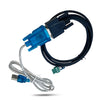
An external capture card, often called a USB capture card, that offers plug-and-play flexibility.
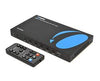
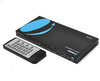
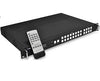
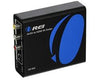
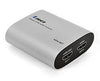
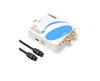
OREI’s HDMI capture card lineup focuses on this external, user-friendly approach, delivering low-latency performance and reliable video capture without the hassle many creators avoid.
How Capture Cards Improve Gaming Performance
One of the biggest advantages of using a gameplay capture card is performance stability. Recording gameplay directly on the same system that is running the game can strain the CPU and GPU, leading to dropped frames or inconsistent performance.
A dedicated HDMI card capture device offloads the recording workload. This allows the gaming system to focus fully on rendering the game, resulting in smoother gameplay, more consistent frame rates, and fewer performance dips during intense scenes.
Most modern capture devices also include HDMI pass-through. This feature sends the video signal directly to the display with virtually no delay while the card records in the background.
Why Streamers Rely on Capture Cards
When live streaming, viewers immediately notice stutters, audio drift, or visual glitches. A dedicated capture card for streaming, whether it be a 1080p capture card or a 4K capture card, ensures your feed stays clean and perfectly synced.
These tools also provide great flexibility for any setup. A high-quality external capture card lets you stream from consoles, mirror a secondary PC, or bring in professional camera feeds for hybrid productions. OREI capture solutions are designed for this kind of continuous output, ensuring streamers can rely on peak performance throughout even the longest sessions.
Benefits for Content Creators and Video Editors
Capture hardware is not just for live streaming. Video creators also rely on clean source footage for editing, color work, and post-production. A quality HDMI capture card preserves detail and color accuracy that can be lost with compressed screen recordings.
Product reviewers, educators, and tutorial creators often use a USB capture card to record demonstrations directly from devices. The cleaner the original recording, the more flexibility editors have later. This becomes especially important when working with a 4K capture card, where fine detail matters.
Content teams also appreciate the predictable workflow. A dedicated capture device produces consistent files, reduces dropped frames, and simplifies multi-camera or multi-source projects. For professional creators, that reliability saves time in post.
Key Features to Look for in a Capture Card
Resolution support should be the first thing you should check. Many users still rely on a 1080p capture card, but 4K workflows are becoming more common. So make sure the device matches both your capture needs and your pass-through requirements.
Second, check its latency performance. Having a low-latency or near-zero pass-through feature ensures your gameplay remains responsive.
Next is audio handling. High-quality cards properly embed and sync audio within the HDMI signal to prevent the audio from drifting away from the video, especially during long sessions.
Lastly, check the connection type. A USB capture card offers portability and a quick setup, while an internal PC capture card can provide higher sustained bandwidth for more demanding workloads.
OREI’s capture lineup focuses on dependable USB performance, broad compatibility, and consistent signal handling for modern creators.
When a Capture Card Is the Right Choice
A capture device makes the most sense in setups that demand clean, reliable video.
Console players who want polished recordings usually see an immediate upgrade in quality and stability. Dual-PC streaming rigs also depend on a dedicated capture card for streaming to keep gameplay and broadcast workloads separate.
For production teams, HDMI card capture hardware is useful for live events and multi-source workflow. And although software recording may work, hardware capture usually provides more consistency in quality when the workload increases.
Elevating Your Content Workflow
High-quality content depends on a clean, reliable signal path. Using a dedicated HDMI capture card takes the heavy lifting off your system, which boosts your recording quality and provides the rock-solid consistency modern creators need.
If you're a gamer, streamer, or part of a production team, OREI capture solutions provide the solid groundwork you need for smooth gameplay capture and professional video output every single time.
For more in-depth HDMI and AV insights like this, visit our blog.