

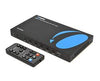

Running a clean video signal across a room is easy. Sending that same signal across a large space is where things often fall apart. And frustratingly, many teams spend hours routing HDMI cables only to discover a problem after installation.
HDMI was originally built for short, direct connections between nearby devices. Today, however, installations in conference rooms, classrooms, digital signage networks, and control rooms routinely push beyond those limits. Getting reliable results requires understanding distance constraints and choosing the right extension method from the start.
Understanding HDMI Distance Limitations
A standard HDMI cable performs well over short runs, but performance declines as length increases. Once you approach a certain distance, factors like signal attenuation, bandwidth loss, and electromagnetic interference begin to compromise the connection, which may lead to your screen flickering.
For most passive cables, reliability begins to drop somewhere between 15 and 25 feet, especially with high-bandwidth formats like 4K. Symptoms often appear as flickering or handshake failures. These limitations are why professional installations rarely rely on long passive cables alone and instead move toward purpose-built extension solutions.
Common Methods to Extend HDMI
There are several technologies available to move HDMI farther than its original limits. Active HDMI cables may be the simplest one. They include built-in signal boosting and work well for moderate distances where you still want a single-cable solution.
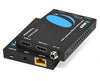
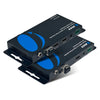
When runs get longer, many installers turn to HDMI over CAT6 systems. These HDMI over Ethernet extenders convert the video signal for transmission across structured cabling, making them ideal for classrooms, offices, and distributed displays.
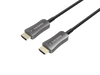
For the longest runs, fiber HDMI and HDMI AOC (Active Optical Cable) solutions use optical transmission to maintain signal integrity over extreme distances.
Choosing the right method depends on resolution, distance, and installation environment rather than using a one-size-fits-all approach.
Do’s of Extending HDMI Over Long Distances
Start with cable quality. Always use components rated for the bandwidth your system requires, especially for 4K and HDR content. Many long-run failures trace back to underspecified cabling rather than faulty hardware.
Match the extension method to the job. For professional environments, use HDMI over Ethernet solutions using CAT6. For very long point-to-point runs, HDMI AOC or other fiber HDMI options maintain signal quality where copper cannot.
Good cable management also matters. Maintain proper grounding, avoid tight bends, and route cables away from heavy electrical interference. Before closing walls or ceilings, always test the full signal path.
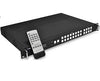
OREI’s professional-grade HDMI over Ethernet extenders and fiber solutions are commonly used in commercial deployments because they are designed for stable long-distance performance.
Don’ts of Extending HDMI Over Long Distances
Avoid pushing cables beyond their rated limits. Exceeding the recommended HDMI cable distance limit is one of the fastest ways to create intermittent failures that are difficult to diagnose later.
Do not use low-quality or unshielded network cable when deploying HDMI over CAT6 systems. Poor cabling can introduce noise and packet errors that appear as video dropouts. Mixing incompatible HDMI or HDCP versions can also trigger a persistent no HDMI signal condition even when wiring appears correct.
Physical handling matters just as much as the tech itself. Sharp bends, poorly terminated connectors, or strained ports often lead to situations where the HDMI cable is not working reliably.
Finally, don't overlook the power requirements for active extenders, as many connection failures simply come down to insufficient or unstable power at the transmitter or receiver.
When to Use AV Over IP Instead
While point-to-point setups handle basic rooms well, some environments quickly scale beyond their reach. Large facilities, multi-room layouts, and distributed digital signage often demand more flexibility than traditional HDMI over Ethernet can offer.
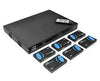
In these scenarios, AV over IP platforms route video across your existing network rather than relying on dedicated links. This shift supports massive distances, expansive display arrays, and dynamic routing across entire campuses.
OREI’s AV over IP ecosystem is built for these enterprise spaces where effortless scalability and centralized control are the top priorities.
Key Considerations Before Deployment
Every successful installation begins with planning. Map the physical distance first, then evaluate whether copper, HDMI over CAT6, or fiber HDMI is the better fit. Network availability and bandwidth also play a role when considering IP-based distribution.
Resolution targets matter just as much. Higher refresh rates and 4K content demand more robust infrastructure. Teams should also think ahead about future expansion, maintenance access, and how easily the system can be upgraded later. A well-planned design prevents recurring HDMI problem scenarios and reduces long-term support costs.
Get HDMI Extension Right the First Time
Long-distance HDMI does not have to be unreliable, but it does require the right approach. Understanding limits, selecting proper extension technology, and following best practices makes the difference between a stable system and constant troubleshooting.
OREI’s professional HDMI extension and AV distribution solutions are built for demanding environments where reliability matters. Plan carefully, choose the right tools, and your long-distance HDMI deployment will perform the way it should from day one.
For more in-depth HDMI and AV insights like this, visit our blog.