
















A home theater setup lives or dies by its sound, and the biggest upgrade doesn’t always come from buying a new TV or speakers. The real difference can also come from the connection between them. ARC and eARC are two HDMI technologies that determine how your TV sends audio to your soundbar. And choosing the right one affects clarity, fullness, and even whether you can enjoy modern surround formats.
This guide breaks down what ARC and eARC actually do and helps you decide the best option for your sound bar with ARC HDMI or any premium system you’re planning to build.
Understanding ARC (Audio Return Channel)
ARC was introduced to simplify audio connections. Instead of using separate cables, ARC lets your TV send sound to a receiver or a soundbar using a single HDMI cable. For many people, this made an HDMI cable to TV setup much cleaner and more convenient. ARC works well for basic TV audio, streaming apps, and everyday viewing. It also supports common compressed audio formats like Dolby Digital and DTS.
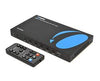
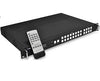
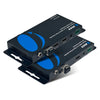
But ARC has limitations. Its bandwidth is low, which means it can’t deliver uncompressed high-bit-rate audio. This can lead to reduced sound quality on larger systems. Some users also report sync issues, especially when connecting an HDMI sound bar or an ARC HDMI cable to older devices. ARC is still widely supported on TVs with HDMI 1.4 or HDMI 2.0 ports, but its performance is capped by the technology of that era. In setups where a TV or soundbar lacks direct ARC support, an ARC audio extractor is sometimes used to route TV audio to external speakers or receivers without changing the overall connection flow.
What Is eARC (Enhanced Audio Return Channel)?
eARC is part of the HDMI 2.1 specification, BUT it does not require HDMI 2.1 ports, many HDMI 2.0 devices also support eARC, giving it dramatically higher bandwidth and data capacity. This allows eARC to transmit uncompressed, high-quality formats like Dolby TrueHD, DTS-HD Master Audio, and Dolby Atmos, something ARC can’t deliver at full quality.
To put it simply, ARC was designed for everyday TV audio, eARC was built for more premium setups. It’s important to note, though, that a modern HDMI ARC soundbar or any sound bar with ARC HDMI support will still work perfectly with eARC, but you get noticeably better performance when those same devices are connected through HDMI eARC. In similar cases, an eARC audio extractor can be used to pass high-quality audio from an eARC-enabled TV to audio equipment that does not natively support eARC.
ARC vs eARC: Key Differences
Below is a quick comparison showing why eARC is considered the future standard for HDMI sound bar systems:
|
Feature |
ARC |
eARC |
|
Introduced In |
HDMI 1.4 |
HDMI 2.1 |
|
Audio Quality |
Compressed |
Uncompressed + Dolby Atmos |
|
Bandwidth |
Up to 1 Mbps |
Up to 37 Mbps |
|
Lip-Sync Correction |
Optional |
Mandatory |
|
Device Compatibility |
Older TVs & soundbars |
HDMI 2.1 modern devices |
|
Ease of Setup |
Simple |
Plug-and-play |
|
Ideal For |
Basic home setups |
High-end home theaters |
Advantages of eARC Over ARC
While both ARC and eARC produce great quality, eARC has an edge. Here’s how:
1. Superior Audio Quality: eARC supports uncompressed formats that maintain every detail from the source. Surround formats like Dolby Atmos and DTS:X sound noticeably fuller and more cinematic.
2. Better Synchronization: Lip-sync issues are one of the biggest problems with HDMI ARC setup on older TVs. eARC eliminates this by making lip-sync correction mandatory, so speech and action stay perfectly aligned.
3. Future-Proofing: If you own a 4K or upcoming 8K TV, eARC is the better match. Most HDMI 2.1 devices prioritize eARC support because it pairs perfectly with modern picture standards and advanced audio formats.
4. Simplified Connectivity: A single HDMI cable handles audio and video, making installation easier. Whether you’re connecting an HDMI sound bar or complex receiver, eARC keeps everything clean and straightforward.
5. Full Compatibility with Advanced Soundbars: Premium models, especially any HDMI ARC soundbar with Dolby Atmos, perform best when paired with eARC. This allows them to use their full speaker configuration without compression.
Choosing the Right Setup for Your Needs
The “right” choice depends on the equipment you own. If your TV supports eARC but your receiver or soundbar does not, an HDMI eARC audio extractor can be a practical solution. It allows you to access advanced audio formats while keeping your existing audio hardware, reducing upgrade costs and complexity.
Choosing the Right Soundbar
ARC remains useful for simple setups, but eARC is clearly the better choice for modern home theaters. The combination of high bandwidth, uncompressed audio, reliable sync, and future-ready design makes eARC the ideal option for anyone using advanced soundbars or HDMI 2.1 TVs.