











HDMI signal drops can ruin any viewing or work session at the worst possible moment, and it’s something that frustrates everyone. One moment your show or presentation looks perfect, then suddenly the screen goes black, audio stops, or your TV flashes “No Signal on TV.” These problems usually point to issues with the HDMI connection, not your devices.
This guide walks through the most common causes and the easiest ways to fix them, along with solutions for situations where basic troubleshooting just isn’t enough.
Common Symptoms of HDMI Signal Loss
Signal issues tend to show up in a few ways:
These symptoms can appear on monitors, projectors, smart TVs, and any setup that relies on HDMI cables to send audio and video. They’re annoying, but they also reveal exactly where to start troubleshooting.
Top Reasons Why HDMI Signals Drop
1. Cable Quality or Length Issues
Many signal problems begin with HDMI cables that can’t handle the video format being sent through them. Cheap or older cables might struggle with 4K, HDR, or higher refresh rates, especially when streamers or gamers use demanding setups. A basic HDMI cord works fine for older 1080p TVs, but modern devices often need more bandwidth.
How to fix this: Use certified HDMI 2.1 or Premium High Speed cables.
2. Loose or Damaged Ports
The HDMI port on your device can loosen over time. Dust or dirt inside the port can also interrupt the connection. AV receivers (AVRs) in particular are prone to wear because people constantly plug and unplug cables.
How to fix this: Inspect and reseat the cable. Clean ports gently. Test another HDMI port if possible.
3. HDMI Handshake Failure
A handshake occurs when two devices verify that they are allowed to share video (HDCP) and agree on the resolution they will use (EDID). If this fails, the result is usually a black screen or a sudden disconnect. Handshake issues are extremely common with splitters, switches, projectors, or older AVRs.
How to fix this: Use reliable hardware that handles handshake negotiation correctly. Many OREI extenders, splitters, and switches include stable EDID control to prevent handshake failures. For professional network-based deployments, ToVi transmitters and receivers maintain consistent handshake stability even over long cable runs.
4. Resolution or Refresh Rate Mismatch
A HDMI 2.1 source may output 4K 120Hz to a display that only supports 1080p 60Hz. When this happens, the screen may flicker, drop to a lower resolution, or go black while the devices renegotiate settings.
How to fix this: Match the resolution and refresh rate of your source to your display.
5. Cable Runs Are Too Long
HDMI wasn’t designed for very long distances. Once you exceed 15–25 feet, the signal can weaken and result in black screens, flickering, or intermittent drops.
How to fix this: Use an HDMI extender with CAT 6 cable or CAT 6 Ethernet cable to carry the signal much farther without loss. For large offices, campuses, hotels, and control rooms, ToVi’s AV-over-IP system is the more scalable approach, sending stable 4K video across entire buildings without distance limitations.
How to Troubleshoot HDMI Signal Drops
Use this quick diagnostic checklist whenever the signal cuts out:
-
Test another HDMI cable
-
Try another source device (laptop, console, streaming box)
-
Test another display or smart TV
-
Power-cycle every device in the chain
-
Try a shorter HDMI cord to rule out distance issues
-
Add an HDMI extender if you need longer cable runs
If none of these fix the issue in a multi-room or commercial environment, upgrading to a network-based system such as ToVi’s AV-over-IP transmitters and receivers completely eliminates HDMI distance limitations and handshake inconsistencies.
Recommended Tools That Fix Signal Drops
Here are the most reliable solutions for different scenarios:
-
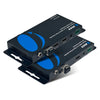
OREI HDMI Extenders – For sending stable 4K signals over long distances
-
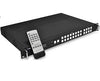
OREI Matrix Switches – For managing multiple sources and displays
-
OREI-certified HDMI Cables – High-speed, reliable cables for HDR, 4K, and gaming setups
-
Audio Extractors – Reduce signal load when routing audio separately
-
ToVi AV-over-IP Series – For large networks, multi-floor buildings, or installations where HDMI alone cannot support the required distance or stability
Pro Tips to Prevent Future HDMI Issues
-
Use surge protection to avoid damaging an HDMI port
-
Label your HDMI cables to prevent accidental plugging and unplugging
-
Keep firmware updated on your devices
-
Do not bend or squeeze cables
Fix Your HDMI Signal with OREI
Most HDMI signal problems are easy to fix once you understand the cause. With the right cable, hardware, or extender, your setup can run smoothly without flickering, black screens, or audio drops. For a more advanced and reliable solution, explore OREI's professional HDMI gear and ToVi's powerful AV-over-IP systems. Click here to start exploring.