











Workspaces tend to grow in one of two directions. Some people add computers as their tasks expand, while others push a single laptop harder by connecting extra screens and accessories. Both approaches boost productivity, but they require different tools to work smoothly.
KVM switches and docking stations are often mentioned together, yet they solve very different problems. One focuses on managing multiple systems, the other on expanding a single device. Understanding how each fits into a workflow makes it much easier to choose the right setup for long-term use.
What Is a KVM Switch?
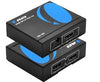
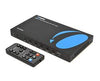
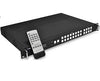
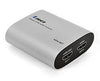
A KVM (Keyboard, Video Mouse) switch lets you control multiple computers using one keyboard, mouse, and display. With a KVM switch HDMI, users can toggle between systems without unplugging cables or moving devices around. This setup is common in IT environments, control rooms, and home offices where several computers need to be accessed quickly.
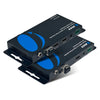
Options like a 4 port KVM switch or PC monitor switcher allow seamless switching between up to four systems. For users who require high resolution, a switch for 4K HDMI or 4K KVM switch ensures sharp visuals without signal loss. More advanced setups may include a dual monitor KVM, which supports two displays across multiple computers. Some environments even rely on remote KVM solutions to manage systems from a distance.
What Is a Docking Station?
A docking station focuses on expanding the capabilities of a single device. USB C docking stations for laptops connect through one cable and have multiple ports for displays, storage, networking, and charging. In other words, a USB type C docking station turns a laptop into a full desktop-style workspace.
Many modern docks function as a docking station with USB C, delivering power, video, and data through a single connection. For users working across several screens, a 3 display docking station for laptops makes multitasking easier without adding clutter. Docking stations are common in offices, creative studios, and hybrid work setups.
Key Differences Between KVM Switches and Docking Stations
The main distinction comes down to purpose. KVM switches manage multiple computers, while docking stations enhance one system.
A KVM switch focuses on switching control between devices, not expanding ports. A docking station, on the other hand, adds connectivity, display outputs, and charging to a single laptop.
For instance, a KVM can be useful for multitaskers, developers, and IT pros, while a docking station may be more useful for laptop users who need more ports.
Display behavior also differs. A dual monitor KVM shares monitors between computers, while a docking station creates additional displays for one device.
Workflow plays a role as well. KVM users move between systems, while dock users build a stronger workspace around one machine.
Both devices solve real productivity problems, just in different ways.
When You Should Choose a KVM Switch
A KVM switch makes sense when multiple computers are part of your daily routine. Developers, IT professionals, security teams, and streamers often work across systems that cannot be merged into one device. A 4K KVM switch supports high-resolution monitors without sacrificing clarity.
Gaming and streaming setups also benefit from a dual monitor KVM, especially when one system handles gameplay and another manages streaming tools. In these cases, a 4K HDMI switch reduces cable clutter and saves time switching inputs manually.
When You Should Choose a Docking Station
Docking stations are ideal when one laptop needs more capability. Remote workers, designers, and editors often rely on a USB C docking station to connect monitors, storage, and wired internet with minimal setup. A docking station simplifies arriving at a desk, plugging in one cable, and getting to work.
High-end docks support multiple displays and charging at the same time, making a USB type C docking station for laptop setup practical for long workdays. For users who want a desktop-like environment without giving up portability, a docking station is often the better choice.
Choosing What’s Best For You
KVM switches and docking stations solve different productivity challenges. A KVM switch helps manage multiple computers efficiently, while a docking station expands one device into a complete workstation. Choosing the right option depends on how many systems you use and how you work each day.
Explore OREI’s range of KVM switches and USB-C docking solutions to build a setup that matches your workflow and keeps your desk organized.