















Buying the soundbar was the easy part. But six months later, the setup isn't quite the same. Maybe movie nights moved to a projector. Maybe another TV found its way into the house. Suddenly, the audio is coming from the wrong place, and the quickest fix is pulling the cabinet away from the wall to swap an HDMI cable.
Nothing is actually broken. The system just wasn't designed for the way you use it now. OREI's HDMI eARC splitter and HDMI audio switch solve two of the most common home theater audio challenges without giving up the premium sound formats your equipment already supports.
Problem #1:

Most people don't set out to share one soundbar between two displays. It usually just happens.
The main TV handles everyday viewing, but a projector comes out for movie nights. Or a second television gets added somewhere else in the house. Before long, one soundbar has become the audio system for multiple displays.
This workaround is familiar: disconnect one HDMI cable, connect the other. Repeat. But this gets tiring fast, especially if the soundbar is hidden inside a cabinet or behind the TV.
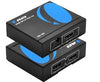
Solution: OREI EARC-102 Makes Sharing One Soundbar Simple

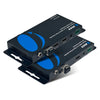
The OREI EARC-102 was built for exactly this situation.
Instead of moving cables every time you switch displays, it lets two eARC-enabled TVs share one soundbar or AV receiver through an HDMI eARC switch. Switching happens automatically or with the press of a button, so the wiring stays untouched.
It supports Dolby Atmos, Dolby TrueHD, DTS:X, DTS-HD Master Audio, and up to 32-channel LPCM. Meaning, convenience doesn't come at the expense of quality.
Simple setup:
TV 1 + TV 2 → OREI EARC-102 → One Soundbar
If you're searching for an HDMI audio switch because cable swapping has become way too annoying, this is for you.
Problem #2:  The opposite situation can be just as frustrating.
Maybe the living room soundbar handles everyday watching, but you'd also like the TV audio available through an AV receiver when for movie nights. Or maybe you have patio speakers and don't want to choose between indoor and outdoor listening.
Questions like "Can I connect two soundbars to one TV?" come up because a typical TV soundbar connection only supports one eARC output. But building a two soundbars / one TV setup usually takes more than port availability.
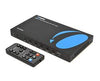
Solution: OREI EARC-201 Splits Premium Audio to Two Devices

Rather than switching between displays, this HDMI eARC splitter simultaneously sends one TV's eARC audio to two compatible sound systems. That could mean a soundbar and an AV receiver, or another supported audio configuration.
It also supports Dolby Atmos, Dolby TrueHD, DTS:X, DTS-HD Master Audio, LPCM, and CEC, allowing compatible TV remotes to continue controlling volume while keeping installation straightforward.
Simple setup:
TV → OREI EARC-201 → Soundbar + AV Receiver
If you're looking for an HDMI splitter for soundbar applications or an eARC adapter that expands your audio options, the EARC-201 will work great for you.
Which Device Do You Actually Need?
|
If Your Goal Is... |
Recommended Product |
|
Share one soundbar between two TVs |
OREI EARC-102 |
|
Send one TV's audio to two sound systems |
OREI EARC-201 |
|
Preserve Dolby Atmos and DTS:X audio |
Both |
|
Avoid unplugging HDMI cables |
OREI EARC-102 |
|
Play TV audio in two listening areas simultaneously |
OREI EARC-201 |
Common Mistakes That Can Affect eARC Performance
It's easy to assume every HDMI cable and every HDMI port work the same way. They don't.
Before troubleshooting, check if you’re using cables that support eARC, and if eARC is enabled in your TV's settings. It's also worth checking whether your soundbar or AV receiver supports the same audio formats you're trying to play.
One detail that's easy to overlook: both the EARC-102 and EARC-201 manage eARC audio only, so they are only meant to solve audio connectivity problems.
Which Setup Is Right for Your Home?
If you’re tired of unplugging your soundbar every time you switch displays, OREI EARC-102 is the better fit. It keeps one soundbar connected while making it easy to move between different TVs.
If your goal is sending one TV's audio to two sound systems, you need the OREI EARC-201. It simply expands your listening options without having to rebuild your home theater.
Enjoy Better Audio Without Changing Your Entire Home Theater
Sometimes the upgrade you need isn't another speaker. It's getting the equipment you own to work together the way you expected it to.
OREI's eARC solutions make it easier to share a soundbar or send audio to two sound systems without the annoying cable swapping. That means less time reaching behind the entertainment cabinet, and more time enjoying the system you built.